Showing posts with label iPads. Show all posts

Tuesday, January 30, 2018

Goldfinch Work, Part II

It's busy times in the library during Goldfinch Award book "season." :) We've paired additional books and have had thoughtful, creative work from our students. Recently, we read The Little Shop of Monsters and Fright Club.

Students quickly picked up on the mood of the books and enjoyed the unexpected "scariness" of the cute little creatures in Fright Club and the silliness of the monsters in The Little Shop of Monsters

As an extension of the day's readings, students at South Prairie visited The Little Shop of Monsters website, where they watched a video first and then designed their own Pocket Monsters. 


Students at Heritage Elementary and Dallas Center Elementary used iPads to design their own monsters using the apps Doodle Buddy and Monster Moogle Maker.

Both apps allowed students to choose a background and design a monster, usually an animal that they then modified to include physical features and accessories to create the perfect, scary monster!

Another pairing of Goldfinch Award books has been The Night World and Sleep Like a Tiger.

Author Mordecai Gerstein's note at the end of The Night World is a great place to start with students as you prepare them for the read aloud, and the sleeping animals on the last page are a wonderful transition to Mary Logue's Sleep Like a Tiger. We also watched a video called Animals at Rest to gain some background knowledge or reinforce what we already know about sleeping animals.

Students then designed their own night worlds on black construction paper using light-colored crayons and colored pencils, or they wrote and illustrated a page showing the animal they most resemble when they sleep.

With Goldfinch Award voting not happening until March, stay tuned for more read aloud pairings and ideas! 

Monday, May 22, 2017

Listening to Reading with QR Codes

Dallas Center Elementary first graders recently scanned QR codes to access electronic books to listen to reading, then responded to the texts using handouts from Digital Divide and Conquer on Teachers Pay Teachers.
Access the free handouts on TPT by clicking HERE.
I wanted to use different texts to match some that we have here in our collection, so after browsing YouTube for appropriate and engaging read alouds, I created my own QR codes, printed them, and then taped them onto the handouts. That allowed me to keep the quadrant questions, and when I printed the handouts front-back, students had two stories for listening and responding. After a quick lesson about how to use our QR scanner on the iPads, students were ready to go!


Wednesday, April 23, 2014

Picture Books & Personification

During Poetry Month, 5th graders have been looking at examples of sensory detail and alliteration, and today they continued their work by looking at personification. We began with a clip from Disney's Beauty and the Beast; students watched the clip, then talked in table groups about what they believed personification might be based on what they saw.


One we established a working definition, we moved on to examining personification in children's picture books. Many great examples are out there to use, but below are some of the books 5th graders used:


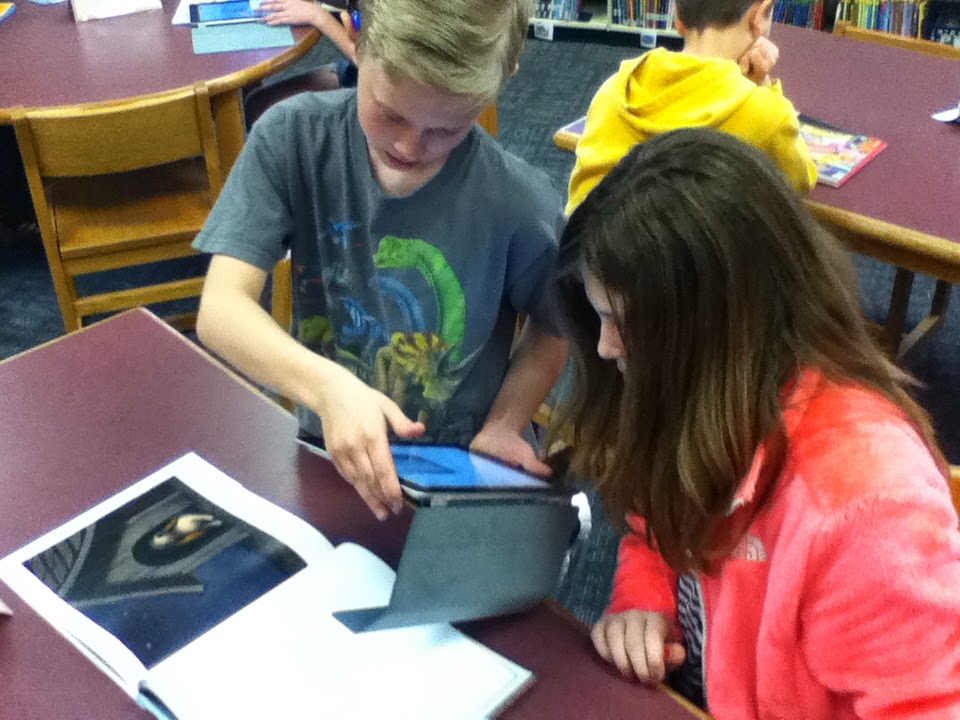
Students worked in groups to browse the books at their tables for examples of personification. Their task was to find at least two examples, photograph them, and describe it as an example of personification. All of this would be done using iPads--the camera and the app PoppletLite specifically.


Some examples of the students' work appears below:


Sunday, December 8, 2013

iPads, Doodle Buddy, and K - 1 Students

Our K - 1 students have just a couple rotations left in the library rotation cycles before the holiday break, so we decided to break out the iPads and pair them with holiday books. After looking at several different apps, we chose Doodle Buddy as our drawing app of choice.
Doodle Buddy

Students listened to Little Santa by Jon Agee or An Otis Christmas by Loren Long, and then in partner groups, they were to recreate a scene from the story.

Students chose backgrounds for their images, then added stamps, text, drawings, or their own drawn art to their pictures. 


Here are two examples of their work:

Thursday, November 14, 2013

Using Popplet and Lino

Third and fifth grade students have been listening to Iowa Children's Choice Award nominees Ghost Dog Secrets by Peg Kehret and The Unwanteds by Lisa McMann. In addition to using a reading comprehension strategies booklet to respond to the reading (see this previous post), students also used the iPads to respond using Popplet and Lino.

Teacher librarian Sarah Staudt from Mason City offered much support by sharing her students'  experiences with Popplet--thank you! And third grade teacher Mrs. Nims and fifth grade teacher Mr. Motz were helpful in getting everything set up, from the iPad cart and app download to a quick Reflector tutorial.

So what did the kids do on Popplet? First, we talked about two different discussion questions:
1) What are some events or evidence that justify Rusty taking the dog?
2) What outcomes do you predict for Rusty, Andrew, and Ra when Rusty's mom learns that they are hiding the stolen dog in the fort?

Working in pairs, students accessed Popplet and chose to respond to one of the two questions.


Students were able to export their Popplets as jpegs, which loaded onto the iPads' camera rolls so they could be printed later. Here are a few examples:


When the fifth graders used Lino, they were responding to two of five different questions related to The Unwanteds:

Again students worked in pairs to respond.


Here are two examples of posts: